
Some links in this article are affiliate links. As an Amazon Associate, rcplanediy.com earns from qualifying purchases at no extra cost to you.
⚡ Quick Picks at a Glance
- Best Overall Sim + Controller Bundle: RealFlight Evolution with InterLink DX
- Best for Pure Beginners: RealFlight Trainer Edition with WS2000 Dongle
- Best Software-Only Pick: RealFlight Evolution Software Only (RFL2001)
- Best Standalone Controller: Spektrum InterLink DX (SPMRFTX1)
Look, I’ll be honest — I’ve crashed more virtual planes than I care to admit. Probably more than the real ones, which I suppose is sort of the point. Every busted prop, snapped wing, and sad nose-dive into pixelated grass on a flight simulator is one I didn’t have to glue back together at home or, worse, walk back to the car carrying in a plastic bag while other pilots politely look the other way.
An RC flight simulator isn’t just for beginners learning which way is up (although, yes, it’s brilliant for that). It’s the cheapest way to try aircraft you’ll never own, practice maneuvers that would otherwise risk a $400 model, and keep your thumbs limber when the wind’s blowing 25mph and the field is closed for the season. For the cost of one decent foam trainer, you can get software, a controller, and basically unlimited flying for the next decade.
But — and there is a but — the simulator world is a little messy in 2026. Some of the older big names have gone dormant (RIP Phoenix, sort of), Mac users are still mostly out of luck, and the gear ecosystem is a bit of a tangled web of dongles, cables, and proprietary controllers. This guide cuts through the noise and recommends the best simulator software, controllers, and accessories actually available on Amazon right now, organized by experience level and use case. Whether you’re a complete beginner who hasn’t bought their first plane yet, or a seasoned flyer wanting to practice scale aerobatics during the off-season, there’s something here for you.
Why Every RC Pilot Should Own a Simulator
The math is brutal in your favor. A decent foam trainer is $150–$250. A proper balsa scale build with electronics is anywhere from $400 to north of $1,500. Your first crash — and there will be a first crash — can write off most of that in roughly two seconds. A flight sim with a good controller costs about the same as one mid-range RTF airplane, lasts forever, and will save you from at least three or four major repair sessions in your first year alone.
Beyond the obvious “don’t smash your real plane” benefit, sims let you do things you genuinely can’t do in real life. Want to know how a 60-inch Spitfire handles before dropping a grand on the kit? Fly it virtually first. Want to practice inverted flight without the small problem of inverted flight requiring you to remember which way the ailerons go now? Sim it until your brain rewires. Bad weather, evening practice after work, learning new aerobatics — all of these are sim territory.
The catch is that simulators only really work if the controller feels close to a real radio. Using a generic gamepad will technically let you fly, but the muscle memory transfer is rubbish. The serious recommendation across the board is: get something that uses real RC gimbals, either a dedicated USB controller modeled on a transmitter, or a dongle that connects your actual field radio to the PC. Either route works — the cheaper one depends on what radio you already own.
How to Choose the Right Simulator Setup
Software vs. bundle. If you already own a Spektrum DSMX/DSM2 transmitter (a DX6e, DXS, NX6, or similar), buy the software-only version of RealFlight plus a Spektrum WS3000T wireless dongle and you’re done. If you have no controller at all — or your controller is something exotic — buy the bundled version that includes a Spektrum InterLink DX. It’s modeled on a real Spektrum radio and feels right immediately.
Trainer Edition vs. Full Edition. RealFlight Trainer Edition is cheaper, includes Virtual Flight Instructor lessons, and limits you to about a dozen beginner-friendly aircraft. Full RealFlight Evolution gives you 300+ aircraft, 75+ flying sites, multiplayer, and VR support. If you’re brand new and unsure if you’ll stick with the hobby, Trainer Edition is the sensible buy. Most pilots upgrade within six months anyway, but starting cheap isn’t a bad call.
Mac users — read this carefully. RealFlight is Windows-only. There is a workaround using Steam on a Mac, but it’s flaky and the more advanced physics features may not work properly. If you’re on a Mac, your realistic options are: dual-boot Windows, run a cheap Windows mini-PC alongside your Mac, or look at alternatives like Aerofly RC or Heli-X (both have Mac versions but less RC-airplane focus). It’s frustrating, and frankly the situation hasn’t improved in years.
System requirements. RealFlight Evolution runs on basically any Windows 8/10/11 machine made in the last decade. You don’t need a gaming rig. A modest laptop with integrated graphics will work fine. The one gotcha is that some users report problems with brand-new 12th-gen+ Intel chips and DirectX9 — worth checking the support forum before buying if you have very recent hardware.
Section 1 — Complete Simulator Bundles: Software + Controller in One Box
If you don’t have a Spektrum-compatible transmitter already, this is the route to take. You buy one box, plug it into your PC, and you’re flying within fifteen minutes. No cable shopping, no driver hunting, no compatibility homework.
🥇 1. RealFlight Evolution RC Flight Simulator with InterLink DX Controller (RFL2000)
RealFlight Evolution with InterLink DX is the default recommendation for anyone serious about getting into the hobby. It’s the latest mainline version of the world’s most-used RC sim, and the bundle includes the Spektrum InterLink DX controller — which is the same gimbal hardware as Spektrum’s actual field radios, just wired up to USB. The transition from sim to real flying field is almost seamless because your hands are already in the right places.
The Evolution version added a much-needed UI refresh (the old RealFlight menus felt like a Windows XP screensaver), more than 100 additional aircraft over previous versions, and quarterly content drops via Steam. You get over 300 aircraft to fly across 75+ flying sites, including the famous Triple Tree Aerodrome, plus VR headset support if you’re into that, online multiplayer for flying with mates, and the Virtual Flight Instructor lessons for new pilots.
The downsides: it’s not cheap, and the InterLink DX has a known issue where some PC USB ports don’t supply enough power to run it — you may need a powered USB hub, which the box doesn’t include. A bit of an own-goal there. Also, no Mac support, as discussed.
- Includes: RealFlight Evolution software + Spektrum InterLink DX controller
- Aircraft: 300+ planes, helicopters, drones, EDF jets
- Sites: 75+ flying fields including Triple Tree
- Best for: New pilots without a transmitter, or anyone wanting the complete out-of-box experience
- Builder feedback: Universally rated as the most realistic mainstream sim. The InterLink controller is praised for build quality. The powered-USB-hub issue is the most common complaint.

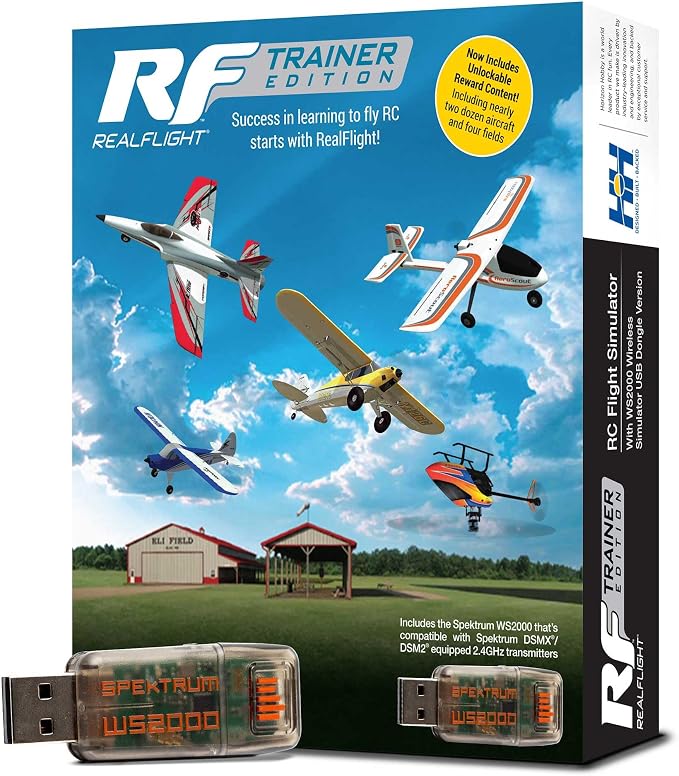
2. RealFlight Trainer Edition with WS2000 Wireless Dongle (RFL-1212)
This is the friendly entry point — cheaper than full Evolution, focused entirely on getting new pilots flying confidently. RealFlight Trainer Edition with WS2000 includes 8 trainer aircraft (6 airplanes from HobbyZone and E-flite, plus 2 helicopters from Blade), Virtual Flight Instructor lessons designed for absolute beginners, and unlocks “Next Step” aircraft after you’ve put in 2–4 hours of basic flying.
The catch is that it ships with the WS2000 wireless dongle rather than a controller — meaning you need to already own a Spektrum DSMX/DSM2 transmitter to use this bundle wirelessly. If you have a DXS, DX6e, or similar lying around, this is brilliant value. If you don’t, you’ll need to buy a controller separately. Read the box carefully before ordering.
- Includes: Trainer Edition software + Spektrum WS2000 wireless dongle
- Aircraft: 8 trainers + Next Step unlockable content
- Best for: Beginners who already own a Spektrum DSMX/DSM2 transmitter
- Watch out for: You need a compatible Spektrum transmitter for this to work wirelessly
3. RealFlight Trainer Edition with SLT6 Transmitter (RFL-1211)
The interesting one in the Trainer Edition lineup. RealFlight Trainer Edition with the SLT6 transmitter is a complete package that includes a real, working 6-channel field transmitter (the Spektrum SLT6) plus the Trainer Edition software. The neat bit is that the SLT6 isn’t just a sim controller — it can also fly real ultra-micro aircraft equipped with Spektrum SLT FHSS receivers, which covers a fair chunk of the entry-level RTF market.
So this is essentially a “buy one thing, get a controller you can also use at the field” setup. The SLT6 isn’t a high-end radio — it’s a basic 6-channel — but for a beginner who’s going to fly a UMX P-51 or similar, it’s a sensible double-duty purchase. The downside is the obvious one: if you eventually want to fly bigger DSMX models, you’ll need to buy a more capable transmitter anyway.
- Includes: Trainer Edition software + Spektrum SLT6 transmitter (also flies real UMX/SLT planes)
- Aircraft: 8 trainers + Next Step unlockables
- Best for: Beginners who plan to fly UMX/ultra-micro RC airplanes

Section 2 — Software-Only Picks: For Pilots Who Already Own a Controller
If you’ve already got a Spektrum-compatible transmitter, or you’ve bought the InterLink DX separately, you don’t need to pay for another controller in the bundle. The software-only versions are significantly cheaper and give you the exact same flying experience.
🥇 4. RealFlight Evolution RC Flight Simulator Software Only (RFL2001)
The smart buy for anyone who already has a usable controller. RealFlight Evolution Software Only gives you the complete current-generation sim — same 300+ aircraft, same flying sites, same multiplayer, same VR support — without the cost of bundling another controller. It’s compatible with the InterLink DX, a Spektrum wireless dongle (WS2000 or WS3000T) plus any DSMX/DSM2 Spektrum transmitter, direct-USB connection from a Spektrum NX6/NX8/NX10, or any RealFlight-compatible USB controller.
This is the right pick for anyone who’s already in the Spektrum ecosystem from real-world flying. There’s no point paying for an InterLink DX you’ll never use because your DXS or DX6e is sitting right there. Just plug a WS2000 into your PC, bind it to your radio, and you’re done.
- Includes: RealFlight Evolution software (Steam delivery), no controller
- Compatible with: InterLink DX, WS2000 dongle + Spektrum DSMX/DSM2 transmitter, direct USB from NX6/NX8/NX10
- Best for: Existing Spektrum transmitter owners
- Builder feedback: Steam delivery is genuinely a nice quality-of-life improvement over the old DVD-and-serial-number system. Reviewers consistently say it’s the best version of RealFlight to date.

Section 3 — Standalone Controllers & Dongles: Build Your Own Setup
If you’ve bought (or plan to buy) the software-only version, you’ll need a way to actually control the planes. Here’s the controller hardware that pairs with RealFlight and most other modern simulators.
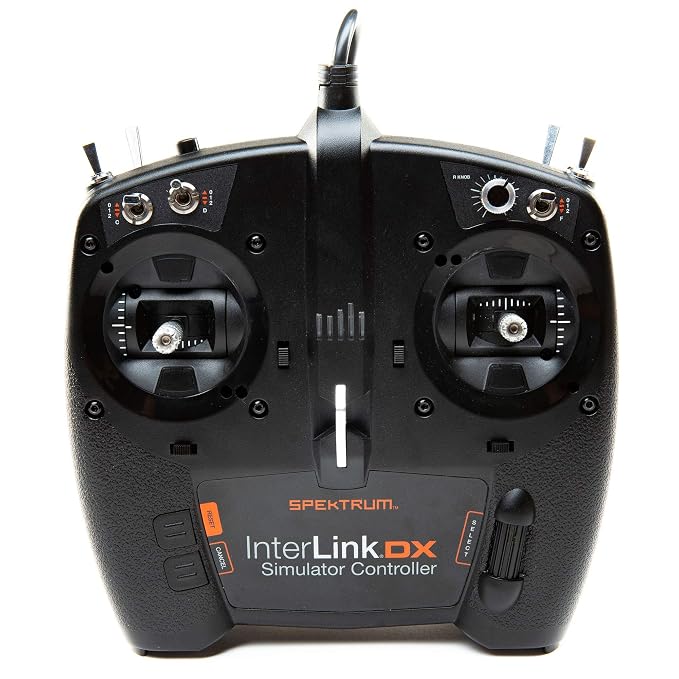
🥇 5. Spektrum InterLink DX Simulator Controller (SPMRFTX1)
The standalone version of the controller bundled in the RFL2000 kit. The Spektrum InterLink DX is essentially a Spektrum DX-series transmitter that’s been wired up for USB instead of 2.4GHz radio. Same gimbal hardware, same switch positions, same general layout. If you eventually intend to buy a Spektrum field radio (or already own one), this controller will feel completely natural.
It’s compatible with most modern sims via USB game-controller protocol — RealFlight (obviously), but also Aerofly, Phoenix, neXt, Heli-X, and others. Adjustable spring tension on the gimbals, mode-change switch (Mode 1, 2, 3, or 4), 15-channel capability, and a built-in trainer port so you can connect your actual field radio through it if you want. Build quality is genuinely good — heavier and more solid than you’d expect.
Same powered-USB-hub caveat as the bundled version, mind. Some PCs don’t supply enough juice through a single USB port and the controller will appear to power on (LEDs lit) but not actually register as a game controller. Frustrating until you figure it out, then a five-dollar fix.
- Type: Wired USB sim controller, modeled on Spektrum DX-series transmitters
- Channels: 15
- Compatible with: RealFlight, Aerofly, Phoenix, neXt, Heli-X, most USB-game-controller sims
- Best for: Pilots buying software-only or replacing a worn controller
6. Spektrum WS3000T Wireless Simulator USB Dongle (SPMWS3000T)
If you already own a Spektrum DSMX/DSM2 transmitter, this little dongle is one of the best-value buys in the hobby. The WS3000T is Spektrum’s current wireless sim dongle and the successor to the popular WS2000. It plugs into a USB port, you press the bind button (no bind plug needed), then bind your radio to it the same way you’d bind to an aircraft receiver, and your real field radio becomes a USB game controller for any sim that accepts standard joystick input. It supports up to 20 channels and adds built-in STF (Smart Transmitter File) download for a more realistic sim setup.
The huge benefit is muscle memory — you’re literally training on the exact controller you’ll use at the field. No mode differences, no tension differences, no wondering whether the sim feel will translate. Works with RealFlight, DRL Simulator, Liftoff, Hotprops, Absolute RC Plane Sim, FPV Freerider — basically anything that accepts a USB game controller.
One quirk: Spektrum’s channel ordering is sometimes shuffled relative to what sims expect, so you may need to remap channels in software the first time. Five-minute job, then it just works. Early Amazon reviews are positive, and it’s the same bind-and-fly routine WS2000 owners already know.
- Type: Wireless USB dongle for DSMX/DSM2 transmitters
- Channels: Up to 20, with built-in STF download
- Required: Spektrum DSMX or DSM2 transmitter (NOT included)
- Best for: Existing Spektrum transmitter owners — best value option for sim flying

Section 4 — Budget Cable Adapters: For Non-Spektrum Transmitter Owners
If you fly with FlySky, Futaba, JR, FrSky, or another brand that doesn’t bind to Spektrum’s WS-series dongles, you’ll need a different bridge between your radio and the PC. A USB simulator cable that plugs into your radio’s trainer port is the cheap and cheerful answer. They’re not as polished as the Spektrum stuff, but they cost a fraction as much and they work with basically anything that has a trainer port.
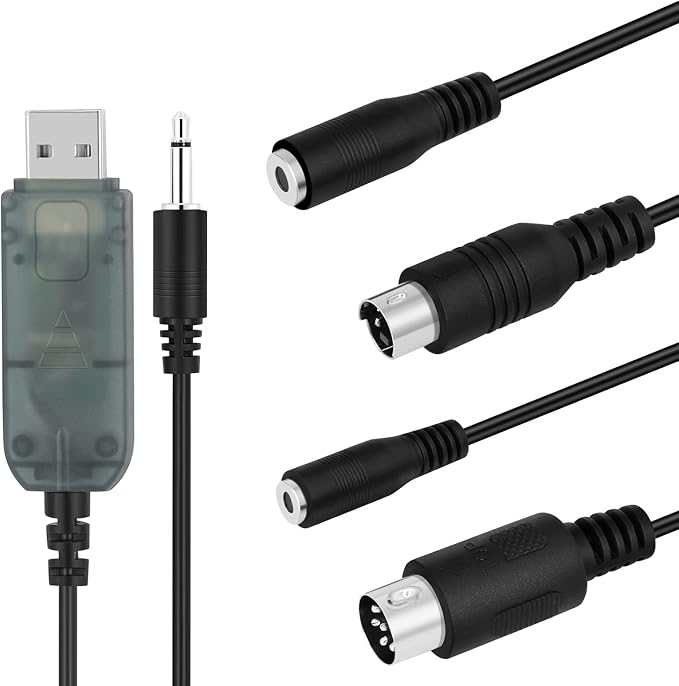
7. Flysky SM100 USB RC Flight Simulator Adapter Cable
The dedicated FlySky-ecosystem cable. If your radio is a FlySky FS-i6, FS-i6X, FS-T6, FS-i10, or similar, the Flysky SM100 is the simplest, cleanest way to get them into a PC sim. It’s literally a USB cable with the right plug for the FlySky trainer port — plug, install drivers (Windows only), and your i6X becomes a USB game controller.
It works with a wide range of free and paid sims including FMS, X-Plane, DRL Simulator, Liftoff, Velocidrone, FPV Freerider, and others that accept PPM/USB game-controller input. Like most cable adapters, it doesn’t directly support RealFlight Evolution. Mac compatibility is hit-and-miss depending on the exact USB chipset version — Windows is the safer bet.
- Type: Direct USB cable for FlySky transmitters
- Compatible transmitters: FS-i6, i6X, i10, i4, T6, TH9X, GT3, GT2 series
- Compatible sims: FMS, X-Plane, DRL Sim, Liftoff, Velocidrone, FPV Freerider
- Best for: FlySky owners (most common budget radio brand)
Section 5 — Generic Joystick Alternative (Use With Caution)
If you really, genuinely don’t want to spend money on RC-specific gear and you just want to mess around with a sim before deciding whether to commit to the hobby, a generic flight joystick will technically work with most simulators that accept USB game controllers. The muscle memory transfer to a real RC radio is rubbish — totally different layout, different stick orientation, different feel — but it’ll get you off the ground.
8. Logitech Extreme 3D Pro USB Joystick
The Logitech Extreme 3D Pro is the cheapest “real” flight joystick and will work as a USB game controller with RealFlight, Aerofly, and most other sims that accept generic input devices. Twist handle for rudder, throttle slider, 12 programmable buttons, 8-way hat switch — it’s a competent, well-built piece of kit that’s been around forever for a reason.
The honest assessment though: do not buy this if you’re serious about transitioning to real RC flying. The single-stick layout has nothing in common with how a real RC transmitter works, and you’ll have to relearn everything when you eventually pick up a real radio. It’s fine as a “see if I enjoy this hobby at all” purchase, or if you exclusively want to fly virtual aircraft for fun and have no plans to go to a real field. As an actual training tool for RC pilots, it’s a step backward from a $60 FlySky FS-i6X plus the SM100 cable.
- Type: Single-stick USB flight joystick
- Best for: Pure curiosity flyers, people who already own one and want to dabble
- Don’t buy this if: You plan to fly real RC airplanes — get an actual transmitter and dongle instead

Section 6 — Free Simulator Software Worth Knowing About
Not everything has to be paid. There are some free or near-free simulators that pair well with the cheaper cable adapters above and are genuinely useful for practice. Worth knowing they exist before you spend serious money.
9. FMS (Flying Model Simulator)
FMS is the granddaddy of free RC sims. It’s old, the graphics are dated, and the physics aren’t on par with RealFlight, but it’s free, it works with cheap USB cable adapters, and it has an enormous community-made library of aircraft and scenery. For someone using a FlySky SM100 cable or one of the 22-in-1 dongles to practice basic stick coordination, FMS is genuinely worth installing as a backup or warm-up sim.
It’s not on Amazon (it’s a free download), so there’s nothing to buy here — but if you’ve bought one of the cable adapters above, downloading FMS is the obvious “free practice” extra. Just don’t expect it to feel as polished as the paid options.
10. PicaSim (Free Glider/Soaring Simulator)
If you’re specifically into glider or sailplane flying, PicaSim is a delightful free option focused on thermal soaring and slope flying. It runs on PC and Android, works with Spektrum’s wireless dongles (and most cable adapters), and the thermal physics are remarkably good for a free sim. Not a substitute for RealFlight if you want to fly powered aircraft, but a brilliant addition if you’re a glider enthusiast.
Again — free download, not on Amazon, but worth knowing about if you’re already buying a controller.
Quick Comparison Table
| Product | Type | Best For |
|---|---|---|
| RealFlight Evolution + InterLink DX | Complete bundle | Beginners with no transmitter |
| RealFlight Trainer Edition + WS2000 | Trainer bundle | Beginners with Spektrum radio |
| RealFlight Trainer Edition + SLT6 | Trainer bundle + real radio | UMX/ultra-micro flyers |
| RealFlight Evolution Software Only | Software | Existing controller owners |
| Spektrum InterLink DX (standalone) | USB controller | Software-only buyers |
| Spektrum WS3000T Dongle | Wireless dongle | Spektrum DSMX/DSM2 owners |
| Flysky SM100 Cable | FlySky cable | FlySky transmitter owners |
| Logitech Extreme 3D Pro | Generic joystick | Curiosity flyers only |
Frequently Asked Questions
Do I really need a flight simulator before flying real RC airplanes?
Honestly, yes. Or at least it’s strongly recommended. The learning curve on a real plane is brutal — you crash, you spend a weekend fixing it, you crash again. A simulator lets you crash dozens of times in an evening with no consequences, and the muscle memory transfer to real flying is excellent if you use a controller modeled on a real radio. Most experienced pilots reckon a sim cuts your initial crash rate by at least half.
Will RealFlight work on my Mac?
Officially, no — it’s Windows-only. There are workarounds using Steam on a Mac, but they’re flaky and some advanced physics features don’t work properly. If you’re a Mac user, your realistic options are a Windows partition (Boot Camp on older Intel Macs only), a cheap Windows mini-PC dedicated to flying, or alternative sims like Aerofly RC or Heli-X that have native Mac support.
What’s the difference between RealFlight Trainer Edition and Evolution?
Trainer Edition is the cheaper version aimed at beginners — about a dozen trainer aircraft, focused Virtual Flight Instructor lessons, and unlockable “Next Step” content as you progress. Evolution is the full version with 300+ aircraft, 75+ flying sites, multiplayer, VR support, and quarterly content updates. You can upgrade from Trainer Edition to Evolution at a discounted price via Steam any time.
Can I use my real RC transmitter with a flight simulator?
Yes, and you should. If you have a Spektrum DSMX/DSM2 transmitter, a WS3000T dongle is the easy answer. If you have a FlySky radio, the SM100 cable is the dedicated solution. For Futaba, JR, FrSky, and others, the 22-in-1 universal cables work with most older sims. Some modern transmitters (Spektrum NX6/NX8/NX10) can connect directly via USB without any dongle at all.
Why doesn’t my InterLink DX work when I plug it in?
Most likely a USB power issue. The InterLink DX draws more current than some PC USB ports can supply, and it’ll appear to power on (LEDs lit) but won’t register as a game controller. The fix is a powered USB hub — a $10–15 accessory that solves the problem completely. Annoying that the box doesn’t include or warn about this, but it’s a known issue with a known fix.
Is a generic gamepad like the Logitech Extreme 3D Pro good enough for RC sim training?
It’ll get you flying virtually, but the muscle memory transfer to a real RC radio is poor because the layout is completely different. For a small additional spend, an actual RC transmitter plus a WS3000T dongle or SM100 cable gives you training that directly transfers to real flying. The generic joystick is fine for “is this hobby fun?” curiosity testing, less good for serious learning.
Final Thoughts
The single best simulator buy for most people in 2026 is still the RealFlight Evolution with InterLink DX bundle — it’s complete, works out of the box, includes a controller that actually feels like a real radio, and runs on basically any Windows PC. Yes, it costs more than a free sim with a generic joystick, but the training value over the lifespan of your RC flying is enormous, and the InterLink DX will outlast at least three cheap controllers.
If you already own a Spektrum field radio, save the money on the controller — buy the software-only Evolution and a WS3000T dongle instead. That combination gives you the best possible training because you’re literally practicing with the same controller you’ll fly your real airplane with.
For FlySky owners on a budget, the SM100 cable plus free FMS or low-cost Aerofly is a perfectly workable starter setup. Not as polished as RealFlight, but a fraction of the cost and genuinely useful for basic stick-time practice. You can always upgrade later when you’ve decided you’re sticking with the hobby.
Whatever you pick, just get something. Every hour spent on a sim is an hour you’re not spending repairing a broken plane in your garage. And that, ultimately, is what this is all about.
Continue Reading — Related Guides
- 🔗 Best RC Transmitters for Airplane Flying: Budget to Pro Systems — Pair your sim with the right field radio
- 🔗 Best RC Airplanes for Beginners: The Complete Buying Guide — Once you’ve practiced on the sim, here’s what to actually buy and fly
- 🔗 Best Foam for RC Airplane Building — Foamboard, Depron and EPP for a tough first scratch build
- 🔗 Top 10 RC Balsa Kits for Beginners — Classic kits for your first build
- 🔗 Best RC Airplane Accessories: Essential Gear Every Pilot Needs — Cases, chargers, field gear and the bits you’ll inevitably need
- 🔗 What makes RC building a great hobby? — Why this hobby is worth committing to in the first place
As an Amazon Associate, rcplanediy.com earns from qualifying purchases at no extra cost to you. Prices and availability are subject to change — always verify on Amazon before purchasing.
2 Comments
Drone Repair Guide: What Breaks on DJI Mini, Neo & Avata Drones (and the Parts to Fix It) - RC Plane DIY
[…] like, a few hours on a simulator is cheaper than any part on this list. I covered options in our RC flight simulator guide — written for planes, but the thumbs are the same […]
Best RC Airplanes for Beginners: The Complete Buying Guide - RC Plane DIY
[…] work as USB simulator controllers right out of the box. Use that feature. Check out our guide on Best RC Flight Simulator Software for the full […]