
Affiliate disclosure: Some links in this article are Amazon affiliate links. If you click one and end up buying something, I get a small commission at no extra cost to you. It pays for filament. Lots of filament. Thanks.
So you’ve decided you want to print your own airplanes. Good choice — sort of. It’s cheaper than buying ARFs forever, the parts are a download away when you crash (and you will crash), and there’s something genuinely satisfying about pulling a wing half off the bed at 2am and going “huh, that actually looks like an aileron.” Welcome to the club. We meet whenever the printer finishes.
I’ve grouped nine printers into five categories below — budget, mid-range with auto-leveling, large-format, premium CoreXY, and a resin printer for cockpits and detail bits. None of these are bad printers. They just suit different builders, wallets, and patience levels. If you’re coming here from a 3D printing background and are new to RC, you’ll probably skim past the electronics callouts; if you’re an RC hobbyist who’s never owned a printer, those callouts are the bits you’ll want to bookmark.
This guide pairs naturally with our review of the top 5 sites for 3D printable airplane plans — pick a plane there, pick a printer here, and you’re roughly 40% of the way to a flying model. The other 60% is filament, electronics, and crashes. We’ll get to those.
Quick Picks (For People Who Just Want a Recommendation)
| Category | Pick | Why |
|---|---|---|
| Best Overall | Bambu Lab A1 | Auto-leveling, fast, handles LW-PLA without much tuning, sensible 256mm bed. |
| Budget Pick | Creality Ender 3 V3 SE | Cheap, big enough for most plane parts, huge community of plane builders running these. |
| Premium Pick | Bambu Lab P1S | Enclosed CoreXY, fast, near-bulletproof results, fits an Eclipson Model D fuselage half. |
| Best Big Bed | Creality K1 Max | 300mm enclosed bed prints big wing panels and warbird fuselage sections in fewer pieces. |
| Best for Detail Parts | Anycubic Photon Mono 4 | Resin work for cockpits, pilot busts, and scale greebles. |
1) Budget Bed-Slingers — Under $300, Get You Flying Without Selling a Kidney
Bed-slinger means the build plate moves on the Y axis. They wobble at high speeds, but for plane parts — which are mostly big slow prints — you really don’t care. You just want bed adhesion, decent retraction settings, and a community big enough that someone has already solved your problem on Reddit.
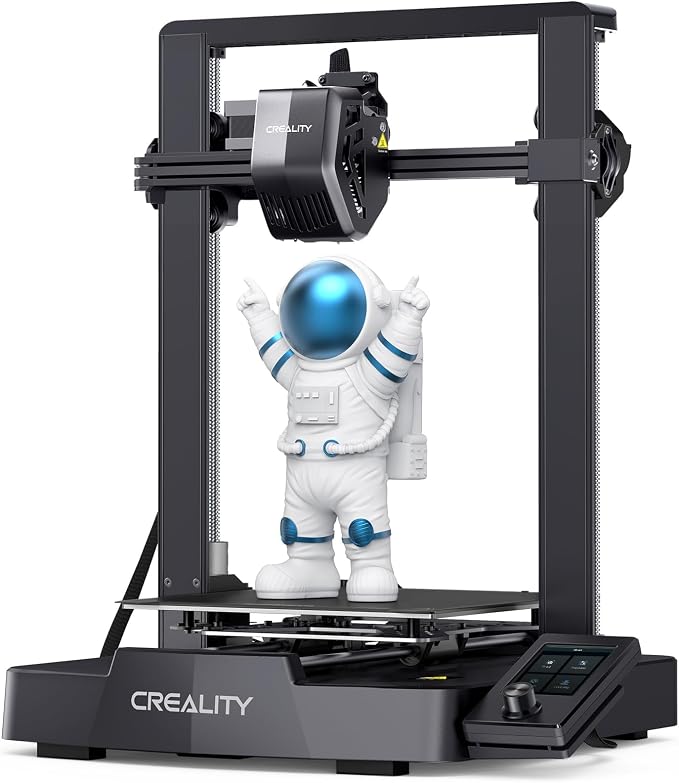
Creality Ender 3 V3 SE
The Ender 3 family is the Honda Civic of 3D printers — not the most exciting thing in the parking lot, but it’ll start every morning and the parts are everywhere. The V3 SE adds auto bed leveling, a direct-drive extruder (helpful for LW-PLA, which loves a short filament path), and a slightly faster top speed than the older Ender 3 Pro. 220 x 220 x 250mm build volume is enough for fuselage halves on smaller Eclipson designs and most wing sections if you slice them sensibly.
Downsides: the LCD is tiny, the included slicer profile needs tweaking for LW-PLA (drop your retraction, increase your nozzle temp by ~20°C above standard PLA), and the bed surface is fine but not amazing. Most plane builders swap to a textured PEI sheet within a month.
Elegoo Neptune 3 Pro
The Neptune 3 Pro is Elegoo’s budget bed-slinger, and it’s a sensible pick for plane printing. The 225 x 225 x 280mm build volume swallows most small to mid trainer parts, and the dual-gear direct-drive extruder helps LW-PLA, which likes a short filament path. 36-point auto bed leveling, dual Z lead screws, a flexible PEI plate, a filament runout sensor and power-loss resume round it out.
Mild grumble: it runs Marlin rather than Klipper, so it’s slower than the newer high-speed machines. For LW-PLA that barely matters — you’ll be printing at 60–100mm/s anyway.

2) Mid-Range with Auto Bed Leveling — The “Just Works” Tier
This is where most plane builders end up landing. You spend a bit more, you get a printer that genuinely doesn’t need fiddling every weekend, and you spend your hobby time building planes instead of debugging Z offsets at midnight.
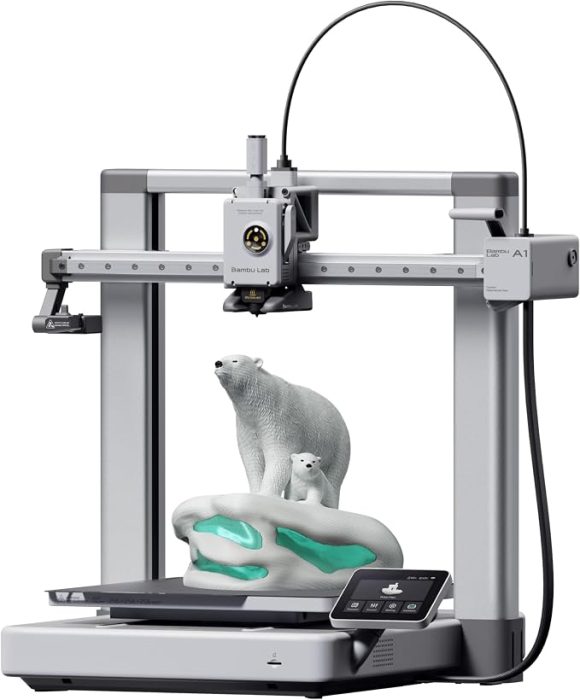
Bambu Lab A1
The A1 is, in my opinion, the printer most plane builders should buy if their budget allows. 256 x 256 x 256mm build volume — fits an Eclipson Model A fuselage in one piece and most wing segments without hassle. It’s a bed-slinger like the budget options above, but the auto calibration routine is genuinely good (it does flow rate, vibration, and bed level on its own), and the included slicer (Bambu Studio, a fork of OrcaSlicer) ships with sensible LW-PLA profiles you can use almost out of the box.
The AMS Lite multi-color attachment is fun if you want to print squadron markings into your wing, but it’s optional. For straight LW-PLA work you don’t need it. Print speeds of 300–500mm/s on regular PLA, but for LW-PLA you’ll want to slow down to 60–100mm/s anyway — that filament needs time to foam properly.

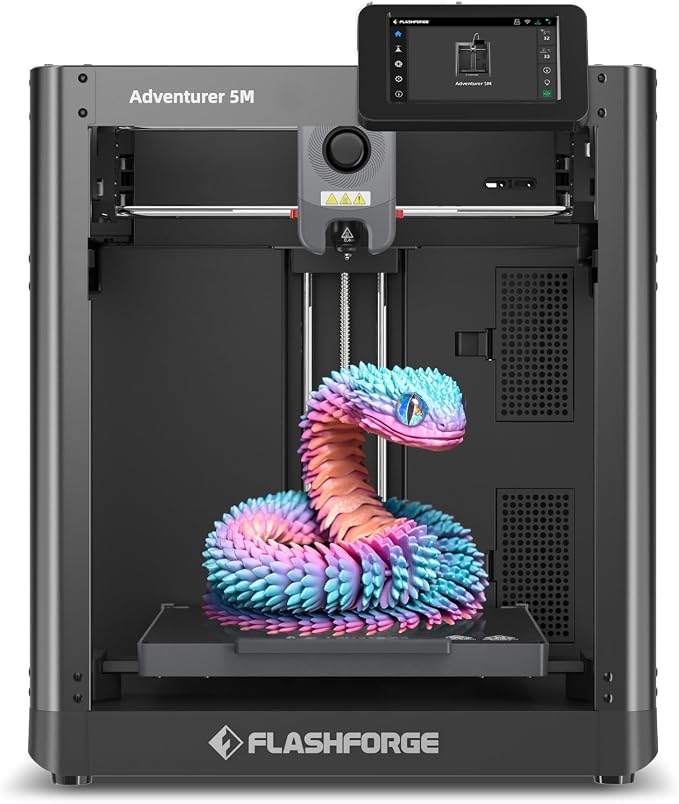
FLASHFORGE Adventurer 5M
The Adventurer 5M is a CoreXY machine at a budget price, and it’s pretty good for plane work — fast (up to 600mm/s on paper, realistically 200–300 for clean parts), fully automatic bed leveling, and a 220 x 220 x 220mm build volume. The 280°C direct-drive extruder comfortably covers the hotter end of LW-PLA’s range, nozzles swap in about three seconds, and the dual-sided PEI plate lets thin LW-PLA walls pop off once the bed cools.
Honest minor consideration: it’s an open frame, so it isn’t the pick for ABS, and the 220mm Z height is a touch shorter than the others here. If you want plug-and-play, the Bambu A1 is a less drama-prone option at a similar price point.
3) Large Format (300mm+) — For Warbirds and Wing Halves
If you’re eyeing 3DLabPrint Spitfires, big Eclipson sport models, or any 1500mm+ scale build, you’ll quickly run into the limits of a 220mm bed. Slicing a wing into eight pieces and gluing them together works, but it’s annoying and adds weight. A bigger bed solves the problem at the cost of more desk space and a longer print time.
Creality K1 Max
300 x 300 x 300mm build volume in an enclosed CoreXY frame. That’s big enough to print most sport-model wing panels and large warbird fuselage sections in far fewer pieces than a 220mm bed. It’s fast (600mm/s on paper), auto-levels with strain sensors in the bed, and an AI lidar scans the first layer and stops the print if something’s wrong — handy on the long prints big parts need. The enclosure keeps the ambient temperature stable, which helps LW-PLA foam consistently on slow, large prints.
One thing to plan for: it’s heavy and it takes up real bench space. Make sure you have somewhere to put it before you order it. Also — large bed = long heat-up times = patience. This isn’t a printer for someone who wants to start a print and have it done in two hours.

4) Premium / CoreXY — When You Want It To Just Work
This is the “I have money, I don’t have time” tier. You’re paying for reliability, speed, and the kind of out-of-the-box experience that means you can hand this printer to someone with no 3D printing experience and they’ll get a usable plane part on attempt one or two.
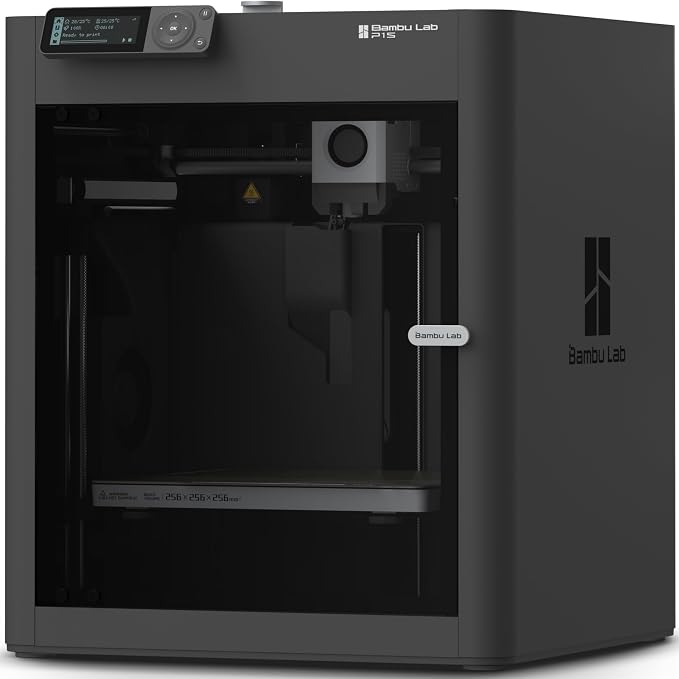
Bambu Lab P1S
The P1S is, for plane builders, probably the sweet spot of the Bambu lineup. 256mm cubed enclosed build volume, CoreXY motion (no wobbly bed), genuinely fast print speeds, and the enclosure means you can dabble in ABS or ASA for stress parts without warping. LW-PLA prints come out cleanly with minimal stringing.
The minor consideration with Bambu printers in general: they’re a closed ecosystem. Bambu Studio is great, but if you want to use a different slicer or run alternative firmware, you’re going to be doing some work. For 95% of plane builders this is fine — the closed system is exactly why it just works.
Creality K1C
The K1C is Creality’s answer to people who want one machine that prints LW-PLA airframes and carbon-fiber-reinforced parts for stressed components like motor mounts and landing gear. Same 220 x 220 x 250mm enclosed CoreXY chassis as the standard K1, but with a hardened steel “Unicorn” nozzle that handles abrasive PLA-CF and PETG-CF without wearing out, plus an AI camera for failure detection and an active carbon air filter. It runs Klipper, hits 600mm/s on paper (200–300 cleanly), and the enclosure keeps your LW-PLA prints at a consistent ambient temperature.
It’s a chunk more expensive than the standard K1 and most of the extras are nice-to-haves rather than essentials for pure LW-PLA work. If you don’t care about printing CF composites, the Adventurer 5M or the Bambu A1 will cover plane builds for less money.

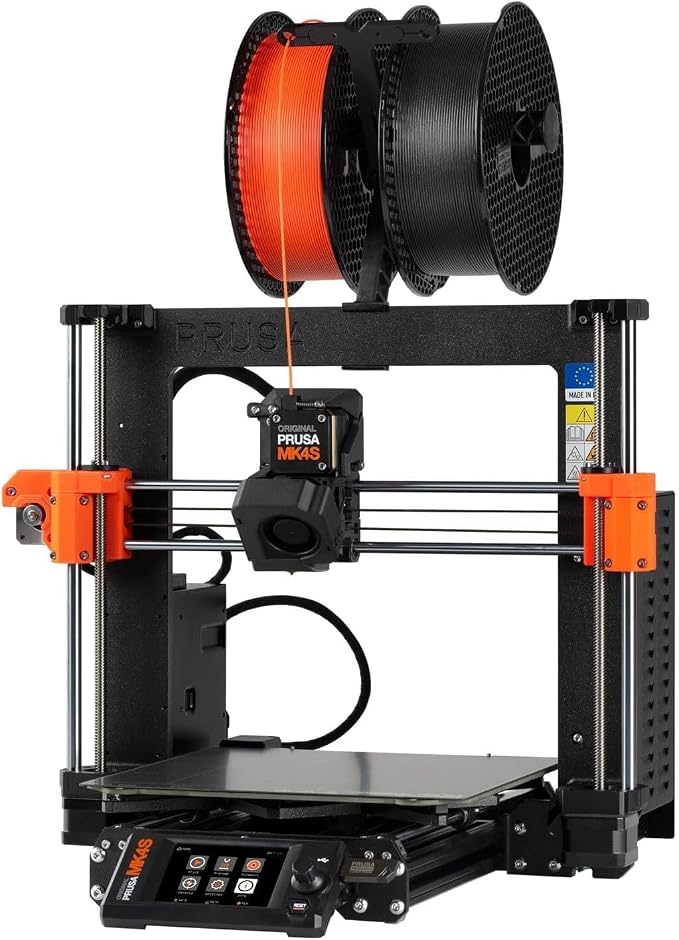
Prusa MK4S
The classic European workhorse. It’s not the fastest printer on this list and it’s not the cheapest, but Prusa has been making solid printers longer than almost anyone, and the MK4S handles LW-PLA beautifully — the Nextruder hot end runs the high temperatures LW-PLA needs without fuss. 250 x 210 x 220mm build volume. PrusaSlicer is excellent, and the open hardware/firmware ethos means you’ll never be locked into a vendor.
The honest drawback is value-for-money — for the price of an MK4S you can buy a Bambu A1 plus a separate Bambu A1 mini, and have parallel printing capacity. Pick Prusa if you value craftsmanship and openness; pick Bambu if you value speed and raw output.
5) Resin Printer (For Cockpits, Pilots, and Detail Parts)
This category is optional. You don’t need a resin printer to build 3D printed planes — almost everything important is printed in FDM filament. But if you want sharp scale detail on your cockpits, realistic pilot figures, scale gauges, machine guns, drop tanks, or anything else where you want jewelry-grade detail, a resin printer earns its bench space. They’re cheap now too — well under the price of most FDM printers.
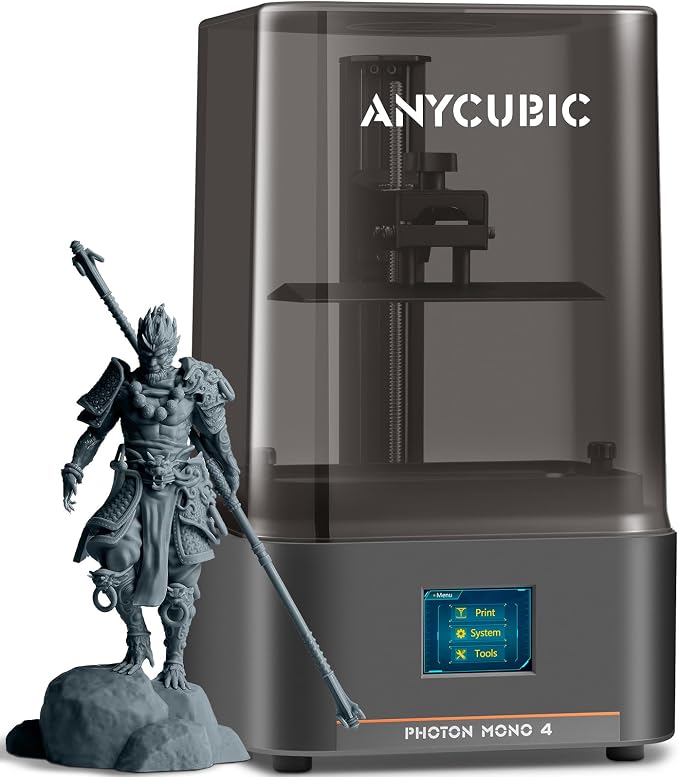
Anycubic Photon Mono 4
7-inch 10K screen, 153 x 87 x 165mm build volume — plenty for cockpit interiors, pilot busts, and detail parts. Print quality is genuinely excellent for the money. Resin printing is messier than FDM (gloves, ventilation, IPA wash, UV cure — the whole song and dance), so if you don’t already have a resin workflow, factor in the cost of a wash-and-cure station and a few liters of resin.
Use it for the bits where detail matters and stick with FDM for everything structural. A scale Spitfire pilot bust printed in 10K detail in your otherwise-printed cockpit is one of those small touches that makes people say “wait, you printed all of that?”
What Electronics Will You Need Alongside Your Printer?
📦 Don’t forget the bits that actually make it fly.
Most 3D printed planes in the 1000–1500mm wingspan range use a 2212-class brushless motor, a 30A ESC, and 9g servos. If you’re new to RC, the printer is only one purchase in a small chain — you’ll also need motors, speed controllers, batteries, and a transmitter.
We’ve covered all of these in detail elsewhere on the site:
- Best brushless motors for RC airplanes — for the 2205, 2212, and 3536 motor classes most printed planes use.
- Best ESCs for RC airplanes — for matching amp ratings to your motor.
- Best LiPo batteries — 3S 2200mAh is the sweet spot for most printed sport planes.
Side-by-Side Comparison
| Printer | Type | Build Volume (mm) | Auto Level | LW-PLA Friendly? | Best For |
|---|---|---|---|---|---|
| Ender 3 V3 SE | Bed-slinger | 220 x 220 x 250 | Yes | Good with tuning | Tightest budget |
| Elegoo Neptune 3 Pro | Bed-slinger | 225 x 225 x 280 | Yes | Very good | Budget with direct drive |
| Bambu Lab A1 | Bed-slinger | 256 x 256 x 256 | Excellent | Excellent | Most plane builders |
| FLASHFORGE Adventurer 5M | CoreXY | 220 x 220 x 220 | Excellent | Good | Speed on a budget |
| Creality K1 Max | CoreXY enclosed | 300 x 300 x 300 | Excellent | Very good | Big and fast |
| Bambu Lab P1S | CoreXY enclosed | 256 x 256 x 256 | Excellent | Excellent | Best all-rounder |
| Creality K1C | CoreXY enclosed | 220 x 220 x 250 | Excellent | Very good | CF composites + LW-PLA |
| Prusa MK4S | Bed-slinger | 250 x 210 x 220 | Excellent | Excellent | Open hardware fans |
| Anycubic Photon Mono 4 | Resin (MSLA) | 153 x 87 x 165 | N/A | N/A (resin) | Cockpits, pilots, scale detail |
Frequently Asked Questions
What size 3D printer do I need to print RC airplanes?
For most beginner and intermediate plane designs (Eclipson Model A, Model D, Model T, etc.), a 220mm or 256mm build volume is enough — wing and fuselage parts are designed to be split into printable sections. For scale warbirds with wingspans over 1500mm, a 300mm+ printer like the Creality K1 Max significantly reduces the number of parts you have to glue together.
Can I print RC airplanes with regular PLA, or do I need LW-PLA?
You can print with regular PLA, but the resulting plane will be heavier and won’t fly as well. LW-PLA (lightweight foaming PLA) expands when heated above ~230°C, producing parts that are roughly 30–40% lighter than standard PLA at the same dimensions. Almost every modern 3D printable airplane design — Eclipson, PlanePrint, 3DLabPrint — assumes you’re printing in LW-PLA. Standard PLA works for control surfaces, hatches, and small structural parts.
Is the Bambu Lab A1 good enough for printing planes, or should I get the P1S?
The A1 is genuinely good enough for the vast majority of plane builders. It handles LW-PLA without drama, has a 256mm bed that fits most parts, and the auto-calibration is excellent. The P1S adds an enclosure and CoreXY motion, which means slightly cleaner large prints and the ability to print ABS or PETG for stressed parts. If your budget allows, the P1S is the better long-term choice — but if it doesn’t, the A1 will still print perfectly flyable planes.
How long does it take to 3D print an RC airplane?
For a 1000–1200mm wingspan plane like an Eclipson Model D printed in LW-PLA, expect 40–60 hours of total print time spread across 8–15 parts. Larger scale builds (1500mm+) can run 80–120 hours. Most builders run prints overnight or while at work and assemble parts as they come off the printer.
Do I need an enclosed printer for LW-PLA?
No. LW-PLA prints fine on open bed-slingers like the Bambu A1 or Ender 3 V3 SE. An enclosure helps with consistency on long, large prints by keeping ambient temperature stable, and it’s necessary for ABS or ASA — but for pure LW-PLA work, an open printer is completely fine.
Related Reading on rcplanediy.com/
- Top 5 Websites for 3D Printable Airplane Plans — pick a plane to print before you pick a printer.
- Best Filament for 3D Printed RC Airplanes (LW-PLA & Alternatives) — once you’ve picked a printer, this is your next stop.
- Best Glue for RC Airplanes — what to use when joining printed parts together.
- Best Brushless Motors for RC Airplanes — sizing your motor for a printed build.
- Best ESCs for RC Airplanes — matching the amp rating to your motor.
- Best LiPo Batteries for RC Airplanes — picking a 3S or 4S pack.
Wrapping Up
If I had to put one printer in front of someone starting out today, it would be the Bambu Lab A1 — it’s the printer that gets out of your way and lets you focus on the actual plane. If you’re on a tight budget the Ender 3 V3 SE will get you flying for a third of the price; if you’re going big, the K1 Max prints big wing panels in far fewer pieces; if you want bulletproof reliability and don’t mind paying for it, the P1S is hard to argue with.
Whatever you pick, head over to our review of plan websites next, grab an Eclipson Model A or Model D for your first print, and start shopping for filament. Then crash it. Then print another one. That’s the cycle. Welcome in.
4 Comments
Allan270
https://shorturl.fm/LiKcg
Best Laser Cutters for RC Airplane Building: Diode Laser Buying Guide - RC Plane DIY
[…] Best 3D Printers for Printing RC Airplanes — the additive counterpart to everything on this page […]
Best CNC Routers for RC Airplane Building: Desktop CNC Buying Guide - RC Plane DIY
[…] Best 3D Printers for Printing RC Airplanes — the additive counterpart to everything on this page […]
vnhello8837
Really impressed with the variety of games here. Everything feels very fresh and the graphics are top notch. I spend most of my free time on vnhello8837 now.