
Some links in this article are affiliate links. As an Amazon Associate, rcplanediy.com earns from qualifying purchases at no extra cost to you.
Here’s the thing nobody tells you when you buy your first desktop laser: the machine is maybe 60% of the story. The other 40% is the stuff around it — the little lens that slowly gets cooked by smoke, the belt that stretches, the fan on the laser head that starts screaming one evening and then just stops, the diode that fades out after a few hundred hours. I learned most of that the slow way, usually halfway through cutting a set of wing ribs on a Sunday night when every shop is closed.
If you already read my laser cutter guide for RC builders, you’ve got the machine sorted. This one is the parts shelf that goes next to it: the consumables, the spares for the things that break, and the few accessories that keep a hobby laser cutting clean for years instead of months. Not glamorous. But a laser that’s down waiting for a tiny part is about as useful as a glider with no thermals.
Quick scope note: this is about the machine, not what you feed it. For sheet stock, grades and densities, see the balsa wood guide. I’m focused on diode lasers because that’s what most hobby builders own, with a couple of nods to CO2 owners in the optics section.
Inventory of Items: Your Laser Spares Shelf
Here’s the whole list in one place, grouped the way I think about it — by how often you’ll actually need to reach for it. “Consumable” means it wears out with normal use. “Spare” means it breaks or fails eventually and you want one on hand before it does. “Buy once” means it’s an upgrade you install and forget.
| Category | Item | Type | Why It’s on the Shelf |
|---|---|---|---|
| Optics | Copkim 14mm Protective Lenses (10 pcs) | Consumable | Fogged window = weak cuts |
| Optics | Cloudray CO2 Focus Lens 20mm | Consumable | CO2 lens dies without air assist |
| Optics | Cloudray 25mm Si Mirrors (3 pcs) | Consumable | Dirty CO2 mirrors lose power |
| Spare Parts | ORTUR LU2-10A Laser Module | Spare | Direct replacement diode head for ORTUR |
| Spare Parts | LASER TREE 20W Laser Module | Spare / upgrade | Universal replacement or power bump |
| Spare Parts | Zeelo GT2 Belt + Pulley Kit | Spare | Stretched belts = wobbly parts |
| Spare Parts | SeekLiny POM V-Wheel Set (48 pcs) | Spare | Flat-spotted wheels = slop |
| Spare Parts | Noctua NF-A4x10 FLX 40mm Fan (12V) | Spare | Dead fan cooks the diode |
| Bed & Workholding | XNEONLab Honeycomb Bed 400x400mm | Buy once | Clean undersides, no flashback |
| Bed & Workholding | UniTak3D Honeycomb Bed 300x300mm | Buy once | Same job, compact machines |
| Bed & Workholding | Queekay Hold-Down Pins (50 pcs) | Consumable | Keeps thin sheets flat and in focus |
| Air, Smoke & Safety | ORTUR Air Assist Pump (0–50 L/min) | Buy once | Cleaner edges, longer lens life |
| Air, Smoke & Safety | Creality Laser Enclosure 700x720x400mm | Buy once | Contains smoke, light and cats |
| Air, Smoke & Safety | AC Infinity CLOUDLINE S4 Duct Fan | Buy once | Gets smoke out of the room |
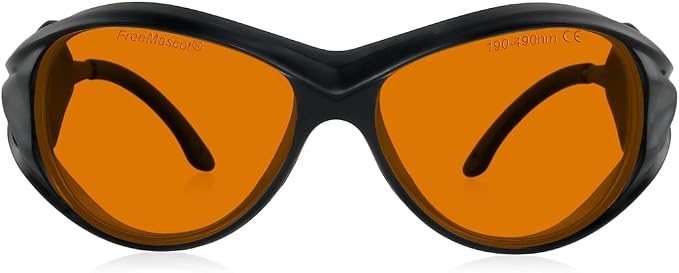
| Air, Smoke & Safety | FreeMascot OD6+ Laser Glasses | Buy once | Eyes don’t come with spares |
The Four Categories, Explained
Everything above falls into one of four buckets. Once you think about your laser this way, it’s a lot easier to know what to stock and what to just buy once.
1. Optics — lenses and mirrors. These are the parts the beam passes through or bounces off. On a diode laser that’s mostly the small protective window in front of the module; on a CO2 laser it’s the focus lens plus three mirrors. They don’t break so much as slowly get dirty and damaged by smoke and resin, and your cutting power drops a little bit every week without you noticing. Pure consumables. Keep spares, full stop.
2. Spare parts — the stuff that breaks. This is the mechanical and electrical side: the laser diode itself (they fade with hours and die suddenly if they overheat), the cooling fan on the laser head, the GT2 belts that stretch and fray, and the plastic V-wheels that get flat spots and make the gantry sloppy. None of these fail often, but when they do the machine is dead until the part shows up. The fan is the sneaky one — when it dies, the diode follows soon after if you don’t catch it.
3. Bed & workholding — what’s under the work. A honeycomb bed and a few hold-down pins. Mostly a buy-once upgrade, except the pins, which you will melt occasionally. This category affects cut quality more than anything else on the list for the money.
4. Air, smoke & safety — what protects you and the optics. Air assist, an enclosure, an exhaust fan and proper glasses. Buy once, and honestly it should be the first thing you buy. Air assist also sits in here because its main side benefit is keeping smoke off the lens, so it quietly saves you money in category 1.
What to Actually Look For in Laser Spares
Match the part to your exact machine. This matters more than brand. Lens diameters vary (14mm, 15mm, 20mm…), belts come in 6mm and 10mm widths, fans come in 12V and 24V, and laser modules have different mounting plates and connectors. Get the model number off your machine before ordering anything. I know, obvious. I’ve still ordered the wrong lens size. Twice.
Buy spares before you need them. The whole point of a spares shelf is that the part is already in the drawer when something fails at 10pm. A protective lens pack and a spare fan take up almost no drawer space and save you a week of waiting.
Don’t over-upgrade the laser module. A stronger replacement diode sounds great, but your machine’s power supply and controller board have to support it. A 20W module on a board designed for 5W is a good way to make expensive smoke. Check your supply’s rated current first.
Respect the smoke. Plywood glue smoke smells bad and isn’t great for your lungs. It also coats every optical surface in the room. An enclosure plus a fan venting outside protects you and your lenses at the same time.
Designing your own parts to cut? Our free RC Wing Designer tool exports rib profiles you can bring straight into your laser software, no tracing airfoils off a printout like it’s 1987.
Category 1: Optics — Lenses & Mirrors
The parts that wear out quietest. If your laser “used to cut this in one pass”, start here.
Copkim 10 Pcs 14mm Laser Protective Lenses
This is the “why is my laser suddenly weak” fix. The protective window on a diode module slowly gets a brown film of resin and smoke residue, and cut depth drops without you really noticing. Swap the window and it’s like a new machine. Ten of them in a pack means you’re covered for a long, long time.
Very important caveat: these are 14mm and fit specific modules — xTool D1 Pro, M1 and a few others with 14mm lens holders — but NOT every version. Check the exact lens diameter on your module before ordering. The listing itself warns about some incompatible D1 Pro variants, so read it carefully. Compatibility is the whole ballgame here.
Specs: 10 pieces, 14mm diameter, silicon dioxide with double-sided 450nm transmittance-enhancing coating
Best for: Owners of compatible 14mm-lens diode modules keeping spares on hand
Builder feedback: Users report cut power coming right back after a swap; the compatibility notes are the main thing to watch.

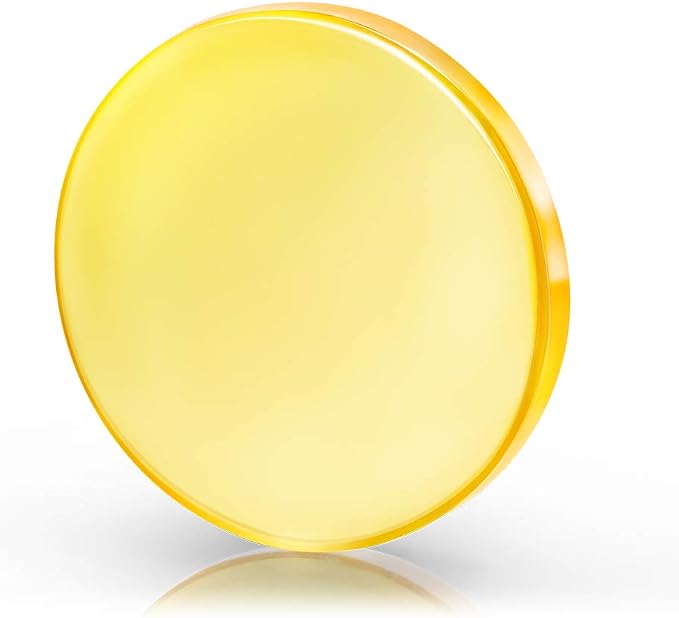
Cloudray CO2 Laser Focus Lens 20mm FL50.8mm (CVD ZnSe)
For the CO2 crowd. If you’ve got a K40 or one of the 40-60W desktop CO2 cutters, the focus lens is the thing that dies when you forget to turn on the air assist. Cloudray is one of the go-to names for CO2 optics — they do lenses, mirrors, tubes, all of it — and this CVD ZnSe lens is a decent-quality replacement without going into boutique pricing.
If you don’t own a CO2 machine, skip it. If you do, keep one spare in the drawer. When the lens goes, the machine is dead until the replacement arrives, and that’s always right in the middle of a build.
Specs: 20mm diameter, 50.8mm (2″) focal length, 2mm thick, CVD ZnSe meniscus lens, rated for 40W–200W CO2
Best for: CO2 laser owners needing a replacement or spare focus lens
Builder feedback: Repeatedly described as a good-quality replacement that matched or beat the stock lens.
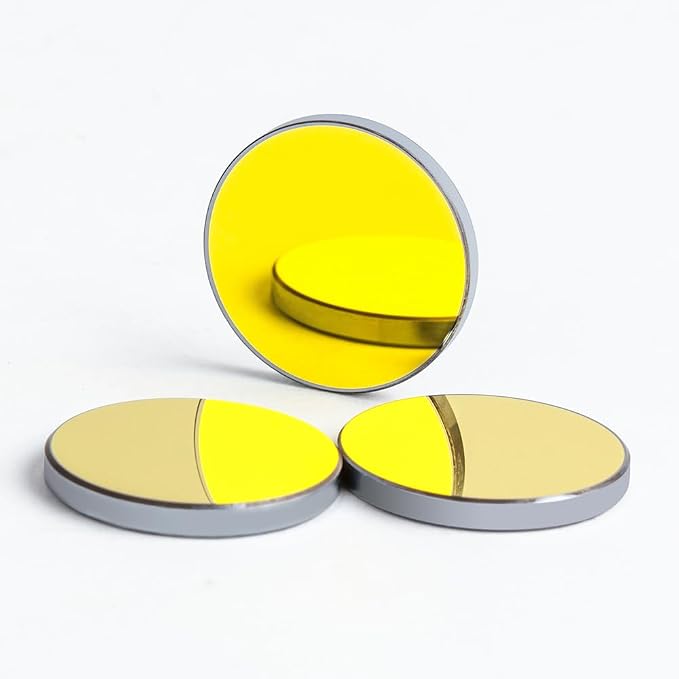
Cloudray 3 Pcs 25mm Si Gold Mirrors for CO2 Lasers
A CO2 laser bounces its beam off three mirrors before it ever reaches the lens, and every one of them loses a bit of power when it gets dirty or pitted. Replace all three together and a tired K40 can wake right up. Three in a pack is exactly one full set, which is thoughtful.
The downside isn’t the mirrors, it’s the job: every time you swap mirrors you have to re-align the beam path, and anyone who’s aligned a K40 knows that’s an afternoon of burning little spots onto masking tape and muttering. Clean before you replace — sometimes a proper lens wipe is all they needed.
Specs: 3 pieces, 25mm diameter, 3mm thick, gold-plated silicon, over 99.2% reflectivity at 10,600nm
Best for: K40 and desktop CO2 owners restoring lost cutting power
Builder feedback: Owners note a clear power improvement after swapping out old, pitted stock mirrors.
Category 2: Spare Parts — The Stuff That Breaks
Diodes, belts, wheels and fans. These don’t fail often, but when they do, you’re not cutting anything until the replacement shows up.
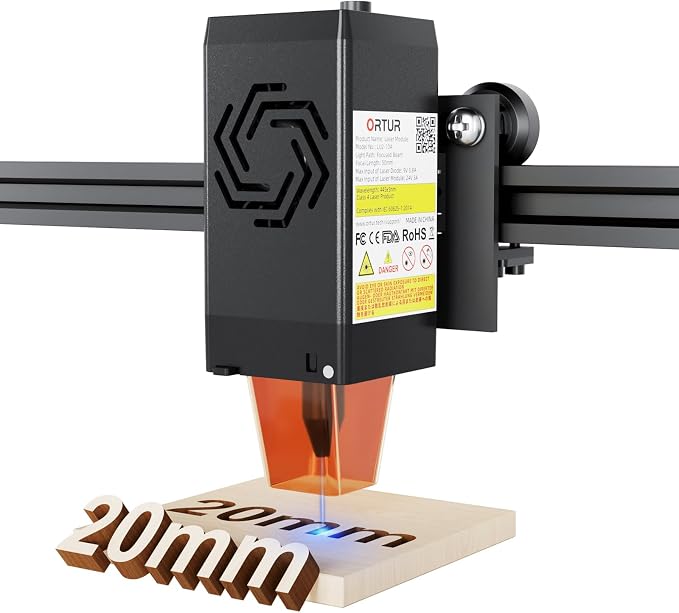
ORTUR LU2-10A Laser Module (10W)
Diode lasers don’t last forever. They lose power gradually over their life, and they can die outright if the cooling fan fails or you run them flat out for hours. If you own an ORTUR Laser Master 2 or 2 Pro, this is the factory replacement head — bolt it on, plug it in, done. No adapter plates, no rewiring, no forum threads at midnight.
It’s the 10W optical version with a compressed dual-diode spot, so if your old module was a 5W unit this is also a real upgrade in cutting ability on balsa and thin ply. It only makes sense for ORTUR owners though — on anything else, look at the LASER TREE below. And a replacement module is not a small purchase, so double check the fan and lens before you decide the diode is the problem.
Specs: 10W optical output, dual-compression diode, 0.05 x 0.1mm spot, dual fan cooling, 24V system, fits ORTUR Laser Master 2 / 2 Pro / S2 series
Best for: ORTUR Laser Master owners replacing a dead or tired module
Builder feedback: Owners like the plug-and-play fit and the jump in cutting power over older 5W heads.
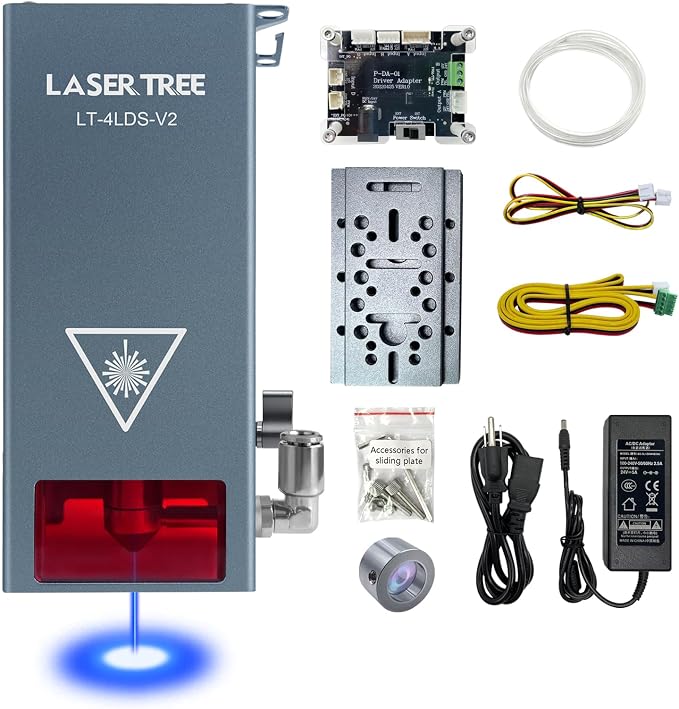
LASER TREE 20W Laser Module with Air Assist
LASER TREE is a company that basically only makes laser modules, and they’re the usual answer when your machine’s original brand doesn’t sell replacements anymore, or when you want more power than the stock head. This one combines four 5W diodes into a compressed spot, has air assist built into the nozzle and a fast cooling fan. It works with most PWM-controlled laser frames, and they include an adapter if your board can’t supply the power directly.
Now the honest bit. The listing makes some bold claims about cutting thick plywood in one pass — I’d take that with a big pinch of salt, as with every laser marketing number ever printed. And your machine must be able to deliver 24V at 4A or you need their adapter. On the plus side, for RC work (balsa up to 1/8″, 3mm ply) a 20W diode is a big step up from a 5W and cuts ribs a lot quicker. Mounting may need a bracket depending on your frame.
Specs: 20W optical output (4 x 5W diodes), 0.08 x 0.08mm compressed spot, built-in air assist nozzle, 10,000 rpm cooling fan, PWM control, needs 24V 4A (adapter included)
Best for: Replacing a dead module on off-brand or orphaned machines, or upgrading a weak 5W head
Builder feedback: Buyers are happy with the cutting jump; a few mention they had to sort out their own mounting bracket.
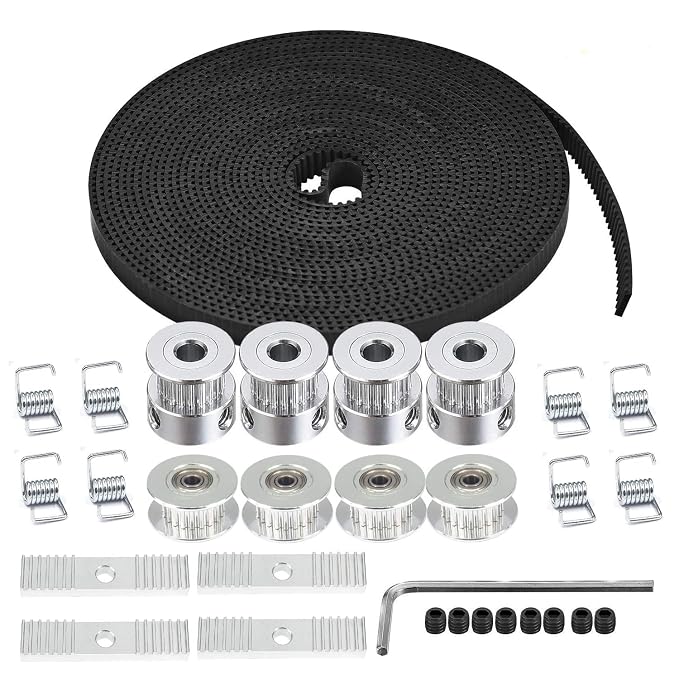
Zeelo 5M GT2 Timing Belt + Pulley & Idler Kit
Most open-frame diode lasers move on the same 6mm GT2 belts as 3D printers. Belts stretch, teeth wear, and a loose or damaged belt shows up as wobbly circles, ribs that don’t match each other, and holes for spars that are slightly oval. Not great when your ribs have to slide onto a spar. This Zeelo kit gives you 5 meters of belt plus 20-tooth pulleys, idlers and tension springs, so you can redo a whole axis in one go.
It’s sold as a 3D printer part, so check your laser really uses 6mm GT2 (most do, some bigger machines use wider belts). The rubber/fiberglass belt is decent but not in the same league as genuine Gates belts. For a hobby laser, perfectly fine. And the springs — I never use those, I prefer to tension properly on the frame. Your call.
Specs: 5m GT2 open belt (2mm pitch, 6mm wide, rubber with fiberglass core), 4 x 20T 5mm-bore pulleys, 4 x idlers, 8 x tension springs, 4 x mounting blocks
Best for: Replacing stretched or frayed belts on open-frame diode lasers
Builder feedback: A long-time favorite in the 3D printer world; people like getting pulleys and idlers in the same box.
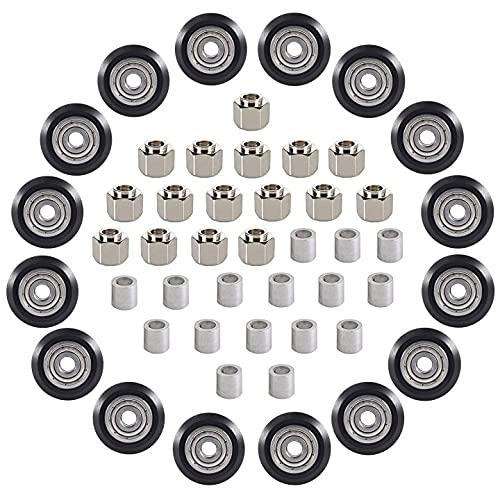
SeekLiny 48 Pcs POM V-Slot Wheel Set
The gantry on most hobby lasers rolls on small POM plastic wheels running in aluminum V-slot rails. Over time they get flat spots, pick up debris, or the bearings get gritty — and the whole head starts to wobble. Symptoms look a lot like a bad belt, which makes it fun to diagnose. This set gives you 16 wheels with bearings, 16 eccentric spacers and 16 round spacers, which is enough to redo a whole machine and still have spares.
Again a 3D printer part, but it’s the standard 5mm bore, 10mm height wheel used by most V-slot machines. Check yours before you order. They’re not the premium wheel you’d find on some high-end machines, just solid replacements. Adjust the eccentric nuts after fitting, snug but not tight, or you’ll be back to flat spots in no time.
Specs: 16 x POM wheels with bearings (5mm bore, 10mm height), 16 x hexagonal eccentric spacers, 16 x round spacers
Best for: Fixing sloppy or rough gantry motion on V-slot diode lasers
Builder feedback: Smooth and quiet according to most buyers; good value for a full machine refresh.
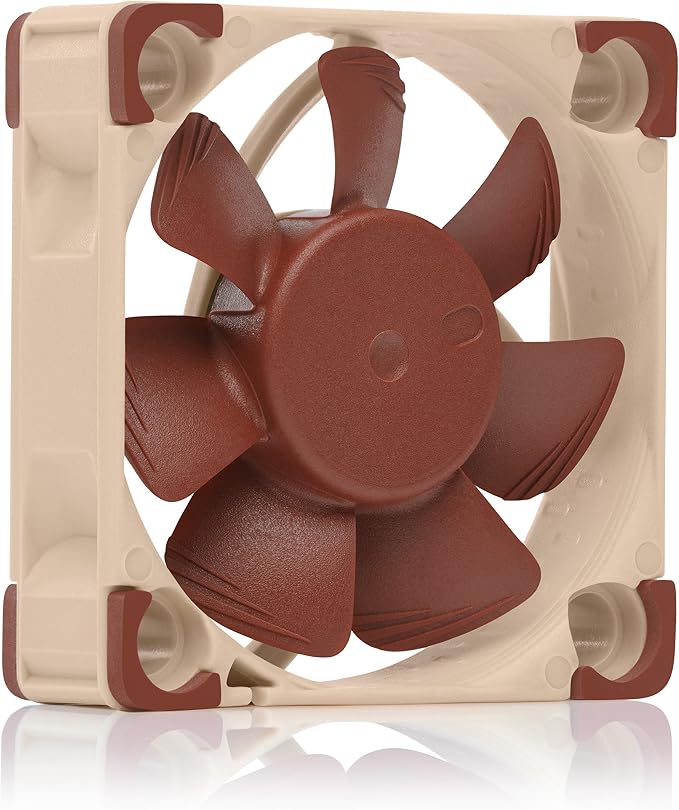
Noctua NF-A4x10 FLX 40mm Fan (12V)
The cooling fan on the laser head is the cheapest part on the machine and one of the most important. When it dies, the diode overheats and your expensive module goes with it. Stock fans tend to be noisy little things that start rattling after a year. Noctua is the brand the PC crowd and the 3D printer crowd both swear by — quiet, long-lived, and the anti-vibration mounts and adapters come in the box.
BIG caveat: this is a 12V fan. A lot of laser modules run 12V fans, but some newer ones run 24V, and a 12V fan on 24V will not live long. Check the label on your old fan before ordering. Also it moves a bit less air than some screaming stock fans, so keep an eye on temperatures after swapping. The 3-pin plug may need re-terminating to match your module’s connector — not hard with a soldering iron and heat shrink.
Specs: 40 x 40 x 10mm, 12V, 3-pin, 4500/3700 rpm (with low-noise adaptor), max 17.9 dB(A), over 150,000 h MTTF, anti-vibration mounts included
Best for: Replacing a noisy or failed 12V 40mm fan on a laser module or controller box
Builder feedback: Near-silent and very reliable according to a very large number of buyers.
Category 3: Bed & Workholding
The single cheapest upgrade that noticeably improves your cut quality. If your laser came with nothing underneath it but a scrap board, start here.
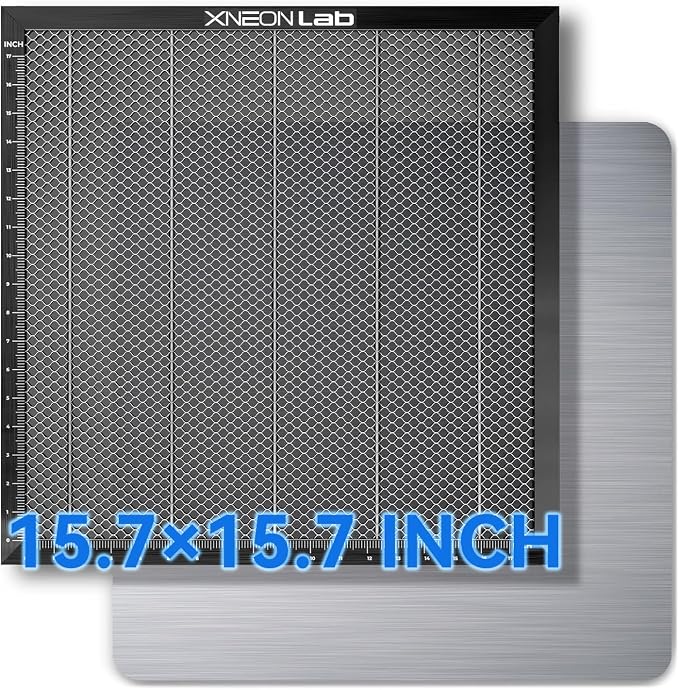
XNEONLab Honeycomb Laser Bed 400 x 400 x 22mm
A proper steel honeycomb with an aluminum base plate underneath and corner protectors, sized to fit under most open-frame diode lasers including the xTool D1/D1 Pro and similar 400mm-class machines. The honeycomb lifts the work so smoke escapes downward and the beam doesn’t reflect back into the underside of your parts (flashback). The aluminum plate protects your workbench from the beam that goes all the way through, which it will, the first time you forget to set the focus properly.
My one complaint is the same with pretty much every honeycomb: the cells collect little dropped parts and resin, and cleaning them is a miserable job. Also measure your machine’s clearance first — 22mm of honeycomb raises your work and you’ll need to refocus. Obvious, but I’ve watched people forget it.
Specs: 400 x 400 x 22mm steel honeycomb, aluminum base panel, 4 corner protectors, fits machines with 400mm-class working area
Best for: Owners of mid-size open-frame diode lasers
Builder feedback: Buyers consistently mention noticeably cleaner backsides on cut parts and less scorching.
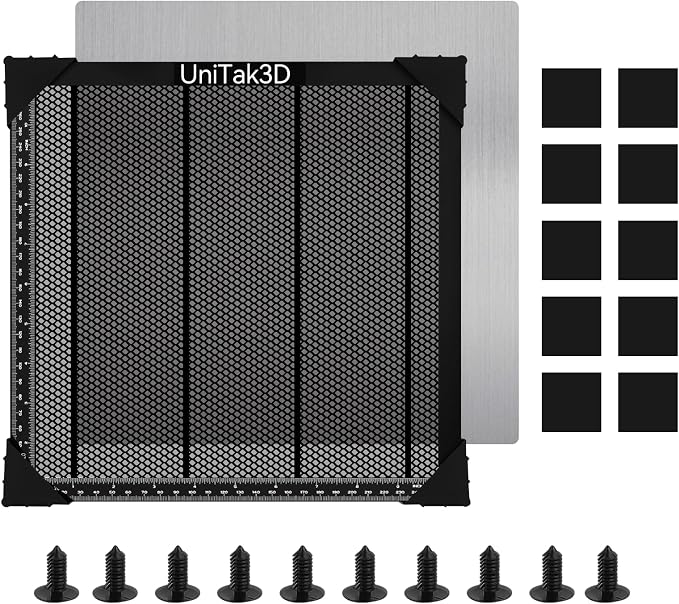
UniTak3D Honeycomb Laser Bed 300 x 300mm
For smaller machines — or if you just don’t have the bench space for a 400mm bed. UniTak3D went with a black finish, which they say reduces reflection back up towards the laser head. I can’t swear that makes a measurable difference, but it doesn’t hurt and it hides grime a lot better than the silver ones, so there’s that.
All-metal construction, aluminum base plate, corner protectors. 300mm is enough for a full set of ribs for a typical 1-meter park flyer, but longer parts get cut in sections. Choose the size to match your machine, not your ambitions.
Specs: 300 x 300mm overall working area, black steel honeycomb, aluminum base plate, 4 corner protectors
Best for: Compact diode lasers and builders short on bench space
Builder feedback: Solid build quality is the recurring theme; people like the black finish more than they expected to.
Queekay 50 Pcs Honeycomb Hold-Down Pins
Thin sheet has a nasty habit of curling up slightly as the laser heats it, and a sheet that lifts a millimeter goes out of focus. These little threaded pins push into the honeycomb cells and hold the sheet flat at the edges. Simple. Cheap. Pretty much essential once you’re cutting thin stock.
They’re plastic, which is both good and bad: good because a stray beam won’t reflect off them like it would off metal pins, bad because a stray beam will happily melt one if you place it inside your cut path. Ask me how I know. Fifty of them means you’ll have plenty left after the first few casualties — which is why they’re a consumable in my inventory.
Specs: 50 pins, fits 7.5–8mm honeycomb cells, threaded plastic design, black
Best for: Holding thin sheets flat on a honeycomb bed
Builder feedback: Fit well in standard honeycomb beds; a few mention they’re a snug fit in smaller cell sizes.

Category 4: Air, Smoke & Safety
The section that isn’t fun but should be the first thing you buy. Lasers blind people and start fires. There’s no pun that makes that less true.
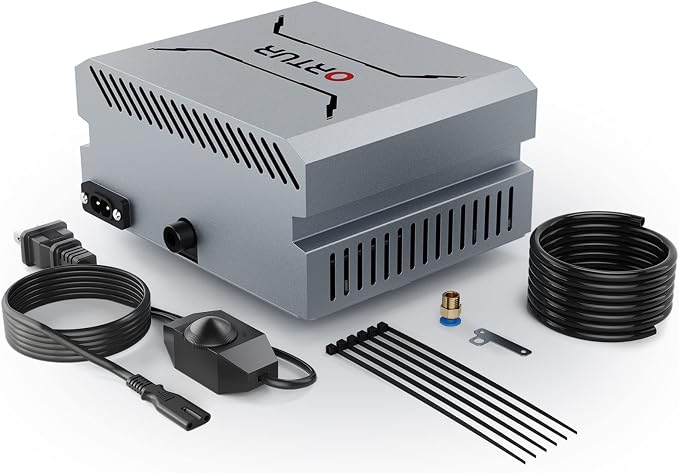
ORTUR Air Assist Pump (0–50 L/min)
Air assist blows a jet of air right at the cut point. That clears smoke out of the beam path, cools the edges and keeps flames from starting. For balsa it’s the difference between golden-tan edges and black crispy ones. And it keeps smoke away from the protective lens, so the lens lasts longer too. Two birds, one pump.
This ORTUR unit is powerful and adjustable, and it’s designed around the ORTUR Laser Master 2/3 modules. It can be adapted to other machines, but you’ll be fiddling with nozzles and tubing if your laser isn’t an ORTUR. If you already have the Comgrow kit from my laser cutter guide, you don’t need this one.
Specs: 0–50 L/min adjustable airflow, designed for ORTUR LU2-4-LF, LU2-10A and LU3-20A laser modules, low noise and vibration
Best for: ORTUR Laser Master owners wanting cleaner, deeper cuts and longer lens life
Builder feedback: Strong airflow gets the praise; non-ORTUR owners mention needing adapters to make it fit.
Creality Laser Engraver Enclosure (700 x 720 x 400mm)
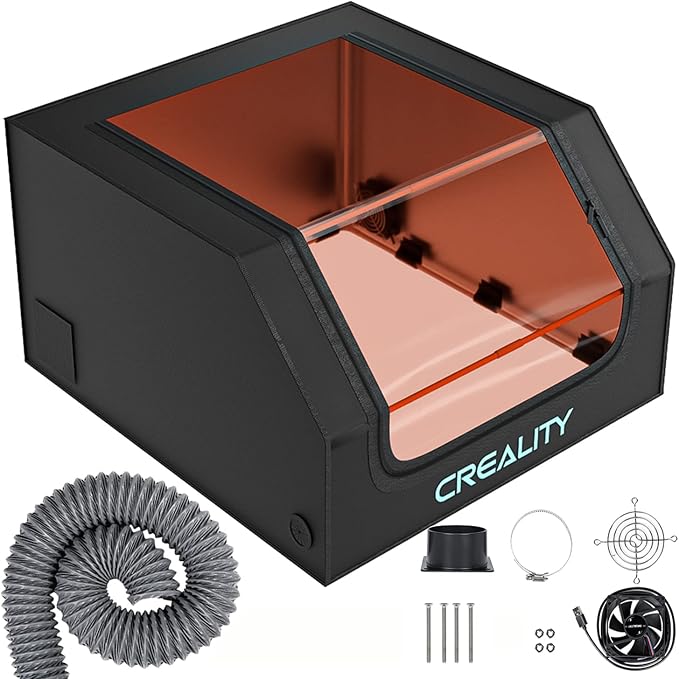
A fireproof, dustproof tent-style enclosure with a built-in exhaust fan and duct pipe, sized to fit over most open-frame diode lasers. It contains smoke, cuts down noise a bit, and the tinted window filters the blue laser light so you can glance at a job without getting a faceful of reflected beam. It also keeps the cat out, which in my house counts as a safety feature.
It’s a fabric-panel box on a frame, not a steel cabinet, so don’t expect it to feel heavy-duty — the zips and seams are the weak point. The included fan does the job but it’s not particularly strong; I’d pair it with a proper inline fan (next pick) if your duct run to the window is longer than a meter or two. Note it’s sold through a third-party store rather than Creality directly, though it’s the Creality product.
Specs: 700 x 720 x 400mm (27.5 x 28.3 x 15.7″), fireproof and dustproof panels, built-in exhaust fan and pipe, blue-light filtering viewing window
Best for: Anyone running an open-frame diode laser indoors or in a shared space
Builder feedback: Buyers like how much smoke it contains; several recommend upgrading the fan.
AC Infinity CLOUDLINE S4 Quiet 4″ Inline Duct Fan
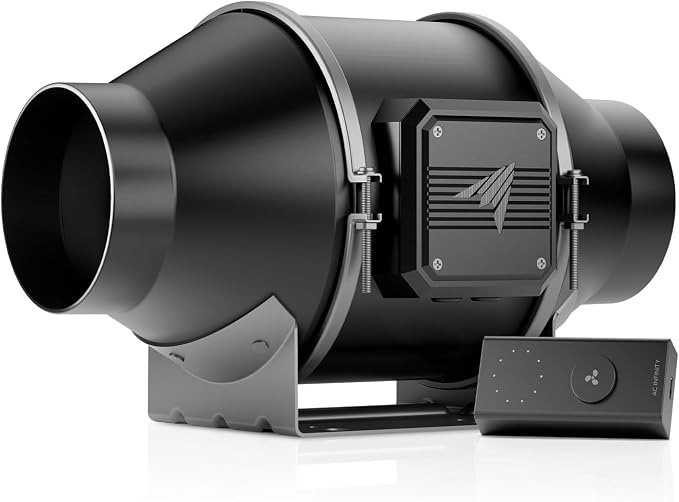
AC Infinity makes these for grow tents, but half the laser crowd on the internet runs one, and for good reason. It’s a quiet EC-motor inline fan with a 10-speed controller, and it pulls air through long duct runs where a cheap bathroom-style fan just gives up. Put it between the enclosure and the window, crank it up for plywood, turn it down for balsa.
It’s not a laser product, so you’ll need to sort out your own 4″ ducting and a window adapter. And the fan only moves smoke — it doesn’t filter it, so you need somewhere outside to vent to. If you’re in an apartment with no window access, this isn’t the answer. For everybody else it’s the best money you’ll spend in this section.
Specs: 4″ inline duct fan, PWM-controlled EC motor, wired 10-speed controller, mixed-flow design for high-resistance duct runs
Best for: Venting a laser enclosure outdoors through a longer duct run
Builder feedback: Consistently praised as quiet for how much air it moves.
FreeMascot OD 6+ 190–490nm Laser Safety Glasses
Most diode lasers ship with a pair of orange glasses. Some of those are decent; some are, let’s say, decorative. These FreeMascot glasses are rated OD 6+ across 190–490nm, which covers the 445–455nm blue light that hobby diode lasers put out. That’s the number that matters. Not the color of the lens, the OD rating at your laser’s wavelength.
They’re not glamorous and they fog a little on a warm day in the garage. They also do nothing for CO2 lasers (10,600nm is way outside that range), so CO2 owners need a different pair. And they are for glancing at a running job, not for staring into the beam — nothing is rated for that.
Specs: OD 6+ protection from 190nm to 490nm, covers 405/445/450nm diode laser wavelengths
Best for: Blue diode laser owners who want a properly rated pair
Builder feedback: Buyers appreciate the clear wavelength labelling and comfortable fit.
One more thing, and it’s not an affiliate pick: keep a small ABC fire extinguisher within arm’s reach of the laser. Balsa is basically kindling with a hobby-shop price tag, and a flare-up during a slow pass on a dirty lens happens faster than you’d believe. Never leave a running laser alone. Not for “just a minute”.
Frequently Asked Questions
Which parts of a diode laser break most often?
In rough order: the protective lens (it’s a consumable, it will get dirty), the cooling fan on the laser head, the GT2 belts, the V-wheels on the gantry, and finally the laser diode itself. The diode usually fails because something else failed first — most often the fan — so a spare fan is cheap insurance for the most expensive part.
How do I know if my laser diode is dying or just needs a clean lens?
Always check the lens first. If the protective window has a brown film or spots, replace it and test again. If a clean lens still gives weak cuts, check that the fan is spinning and the focus is set correctly. If all of that is fine and power has still dropped a lot, the diode is likely worn out and it’s time for a replacement module.
Can I put a more powerful laser module on my machine?
Often yes, but only if your power supply and controller board can handle it. Check the voltage and current the new module needs (the LASER TREE 20W, for example, wants 24V at 4A) against what your machine supplies. You’ll also need to check the mounting and the connector. When in doubt, stay with your machine brand’s official upgrade module.
How often should I replace the protective lens?
There’s no fixed schedule; it depends on how much you cut and whether you use air assist. Check it every few sessions — if you see film or spots that don’t wipe off with a lens cleaning wipe, replace it. A sudden drop in cut depth on material that used to cut fine in one pass is usually the first sign.
Is it safe to laser cut indoors?
Only with proper ventilation to the outside. Plywood glue in particular produces unpleasant and potentially harmful smoke. Use an enclosure with an exhaust fan ducted out a window, wear rated laser safety glasses, keep a fire extinguisher nearby, and never leave the machine running unattended. Never laser cut PVC or vinyl — it releases chlorine gas and will corrode your machine.
Final Thoughts
If you only buy three things from this list, make it a pack of protective lenses, a spare fan for the laser head, and a way to get the smoke outside. That trio covers the most common “my laser used to cut better” problems and protects the diode, which is the one part you really don’t want to replace. Add belts and wheels when the machine starts to feel sloppy, and keep a replacement module in mind for the day the old one finally gives up. It’s a hobby. Something has to break occasionally or we’d have nothing to talk about at the field.
Related Guides
- Best Laser Cutters for RC Airplane Building — pick the machine first, then come back for the spares
- Best CNC Routers for RC Airplane Building — for thicker structural parts a diode laser can’t handle
- Best CNC Router Bits & End Mills for Balsa, Plywood & Composites — bit selection for the router side of the shop
- Best Rotary Tools & Dremel Accessories for RC Airplane Building — cleaning up laser-cut parts and edges
- Best Hot Wire Foam Cutters for RC Airplanes — the right tool for foam, which you should never laser cut
- Best Balsa Wood for RC Airplanes — the sheet stock side of laser cutting
- RC Wing Designer — Complete User Guide — design and export rib profiles for your laser